The face behind this:

Photobucket
Be aware that most of the content exposed here are freebies. Besides that I may accept review copies but will only blog things of my taste, won't lie to my readers.Read more info here. For any other questions you may contact me inworld or : My Flickr Plurk I am also human and have a RL. So if I don't blog something for lack of time is nothing personal. Hugsssss.

Pages

Showing posts with label vive9. Show all posts

CHIC is coming to town

UPDATE: CHIC Limited SLURL

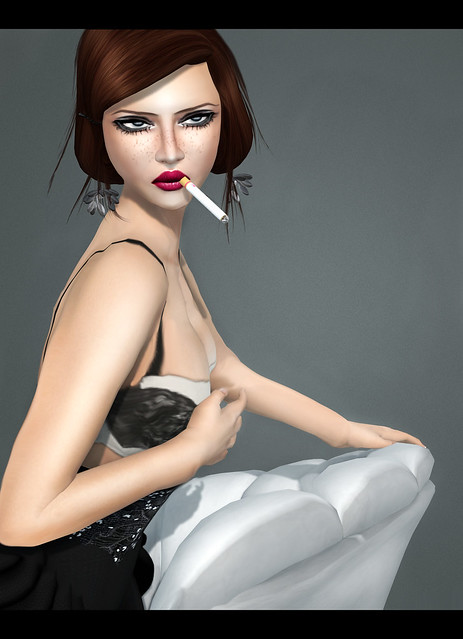
Hey there sweets!! Giving you some more peek-a-boo on CHIC Limited items!! It will open tomorrow around 3PM SLT! So stay tuned for that and the other SL events I mentioned on the last post.
Also today got some nice message that left me all smiley. One of my fave SL bloggers gave gently sent me some of the interesting things she does to SL also in the company of some very kind words. I am talking about Eve Kazan and she's the blogger for Mademoiselle. I will possibly not need to tell what amazes me on her fashion and blog all you need it to check her blog : here!!
EARRINGS: finesmith harmony gold earrings - Finesmith Hunt
HAIR: (Posh) ; Beat ; Latte
PANTS: -Glam Affair - Spiker
TATTOO: actchio. i hide myself within my flower tattoo - Subscribo
DRESS:CHANTKARE FUNKY GIRAFFE - CHIC Limited
LIPS: Mad' - Line Lips - 5L (marketplace )
BOOTS: Rita by Vive9
SKIN: Grixdale - Emery - Milk - Saccharine - frex -CHIC Limited


PS- Due to lag reasons I had to stay in my tiny studio... but soon hope to land back on pretty SL sims!! :D

CHIC!! + some events

UPDATE: CHIC Limited SLURL

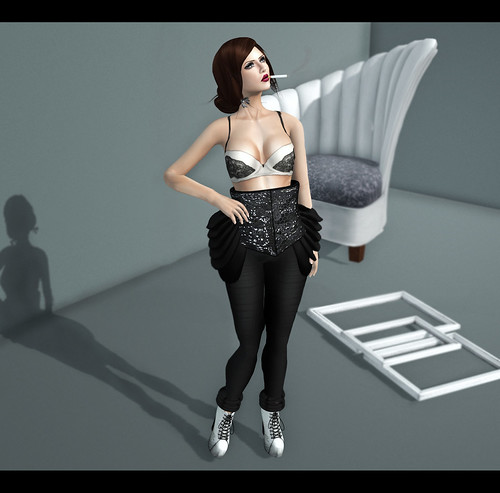
Hey there sweets! SL is seriously warming up in events and so I am bringing you this post so you can be updated!! The look here shown is some preview of the CHIC Limited and it will be open for public TOMORROW!!

CHIC Limited - An event by Keira hits SL again. After the successful With Love and Happy Holidays Hunts there's now a new place where you can find all the designers you love. Why limited? This doesnt mean you have to rush to get your items because there will be only few but yes there's only some few brands selected to participate in each session!! And no, this is not sales or over priced items. The items are being sold at designers normal price. So seems fair for both buyer and designer. There's many kinds of items to choose from and good quality as well. Opens tomorrow - 15th!! (more details)

Finesmith Hunt - If you like the Finesmith jewelry I blog almost every week or you're just a jewelry lover this hunt might be the right one for you. There's a sim hunt starting today (14th) there's something like 20 apples to find. The price may vary between 1L-150L but all the items have a value of 250L-1000L . So lots of great deals!! (more details)

ProPosers Hunt3 - If you're a pose lover -like me- you may need to check this out!! It also starts tomorrow (15th) and there's lot of great poses to collect. For preview and details check here!!

Seasons Hunt Winter - If you loved the excellent quality of the items from the Seasons Hunt Autumn you better check this out!! Starts tomorrow (15th) and have some seen some peek of the items and you better bet that I will be blogging it in the future!! So better get ready!! :P For more details: here!!
PROPS
CHAIR: aDORKable Poses: Brazen Hussy Chair - CHIC Limited
FRAMES: (part of) Mud Honey set - CHIC Limited

CLOTHING
OUTFIT: -Glam Affair- Amara - CHIC Limited
EARRINGS: Finesmith jewelry- Forever bride earring - Finesmith Hunt
BOOTS: Vive9 Rita Boots

POSES
1: aDORKable Poses: Brazen Hussy Chair - CHIC Limited

**CHIC Limited SLURL will only be available tomorrow!! Hope you enjoy the tease

Kewl Kid - Freebie Look

Hey there Sweets!! Another colorfull post with some nice gifts, freebies and another great goodies to give you a hint on how to spoil yourself just a lil. This weekend lot of great news will be around make a note that this Saturday (15th) 3 great things will happen: CHIC Limited, Pro Posers Hunt and the Seasons Hunt Winter. So is and hunt and shop until you drop!! (peek on CHIC Limited items coming soon)
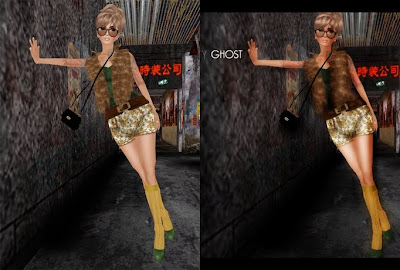
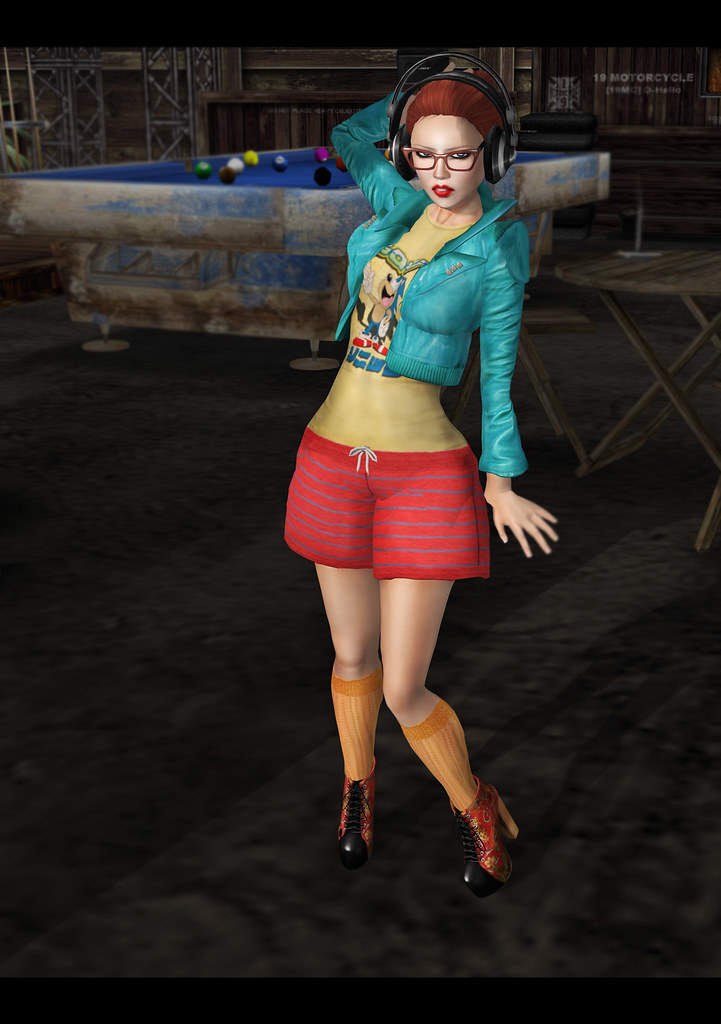
I saw on this blog these free headphones for free, went to check it out and fell in love with the place and so stayed there to take some pics. :P
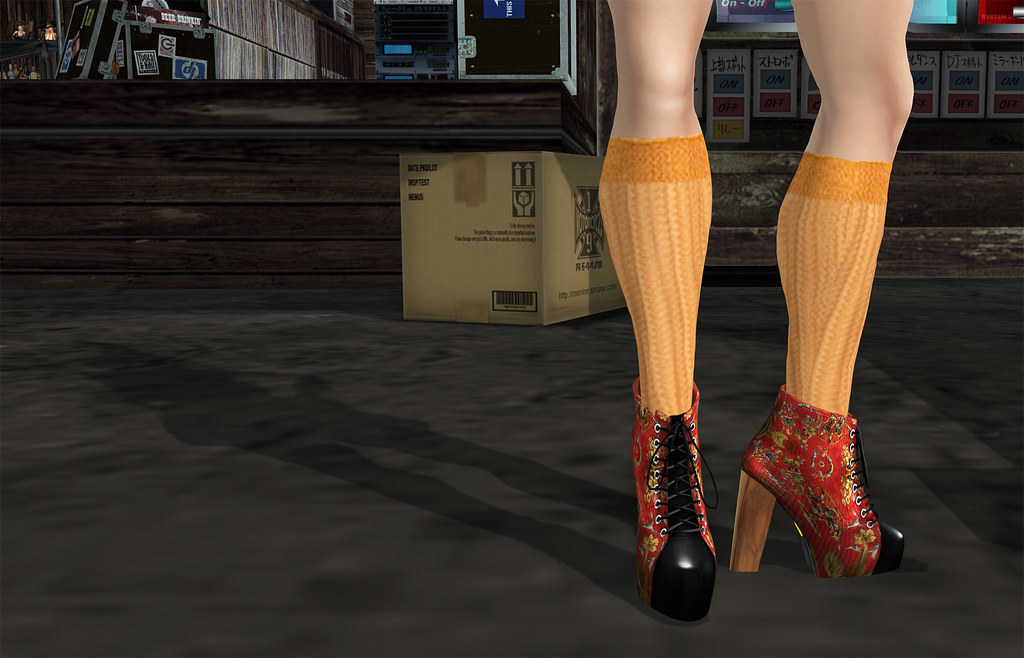
RITA!! That's the name of this stunning ankle boots made by Vive9. This pic has no editing besides crop and liquify on the legs so you can see the boots how they are. They are just perfect I will for sure be wearing these for some time. They have no ugly invisible prims that makes my shadow pics look weird, well textured, smooth design, not heavy in scripts , a menu that allows you to change some things like sole color.... the only complain I have is the fact that there's so much pretty textures to choose from (plain textures and patterns) that a girl feels like in a tempting shoe heaven. :P (Sure this is no bad complain)
HEADPHONES: jbx Headphones - 0L (here)
BOOTS:.: vive9 :. RITA Boot in ChinaMen - NEW!!
SHORTS: : vive9 :. Jogger Shorts - Red/Blue - Group Gift
(there's a fee to join -150L but THREE group gifts are available ATM)
HAIR: [e] Say 2 -0L
JACKET:Emery - Jacket Sheena
SOCKS:Emery - Socks [Orange] - Group Gift
SHIRT: Sonic_T ::Maschienenwerk:: 1 -0L
GLASSES: Tasty - They are having a 10-50L moving sale!!

Special thanks you Sanya. :]

Heavy Wind - Freebie Look

Hellow my Artists! First of all want to leave my votes for some happy and cozy holidays for you all! Have some nice deserts for me. :P
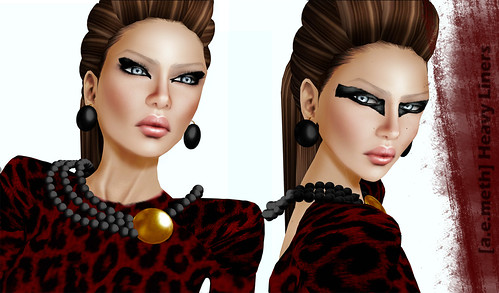
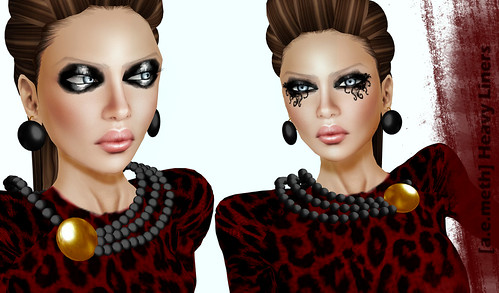
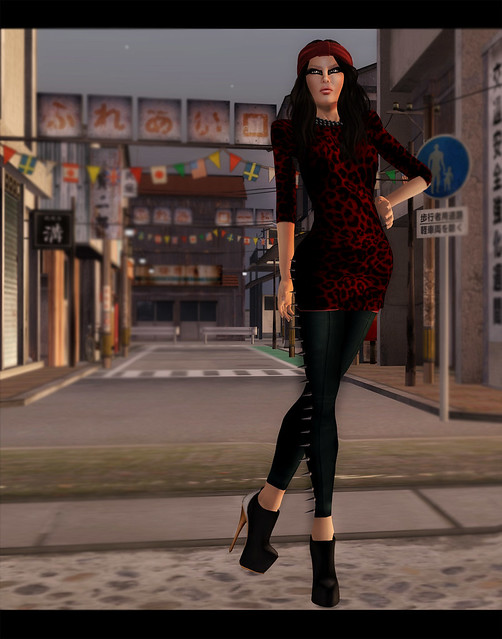
This look was TOTALLY inspired by these liners made by Aemeth. Besides being a big supporter of my annoying self she's also a great artist. She also said they were made inspired on my looks... and I feel very flattered by this... Would never in my life image myself being gifted this way.
Nice and cheap make up for you sexy pixels... what else we can ask for?
Also deeply in love with the Gifts sent by Maitreya and Peqe. Also more so 2010 items. So stay tunned for more details. :)
Here's four of the five versions of the Heavy Liners. The fifth one in like the first on in the second pic, but is tintable so you can make it match your outfits. Thank you so much Aemeth.


{Stylecard}
BOOTS: .:Vive9:. Xianv2 Boot - Black/Silver (wood) - So 2011 - 50L
MAKE UP: [ a.e.meth ] - Heavy Liner Makeup (Runway) - Thanks Aemeth
HAIR: Maitreya Lauren - Charcoal - Subscribo Gift
JEWELLERY: Jewelry Set Scroogelina by 3636 - 0L (under Xtmas tree)
DRESS: Peqe - Kendall Leoness - Subscribo
PANTS: -Glam Affair - Spiker - So 2011 - 50L
SKIN: -Glam Affair - Jadis - Natural Clean

Taken @: http://maps.secondlife.com/secondlife/Inaka/217/97/697

Kiss with a Fist! - Freebie Look

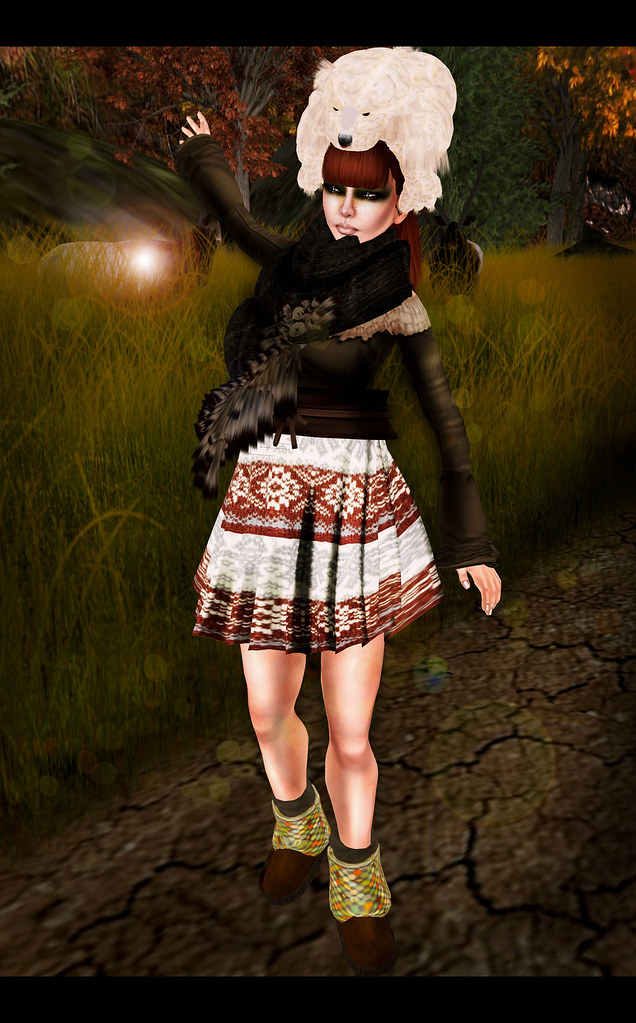
Autumn feeling is lift up in the air as the new FTLO starts!! So far I am enjoying pretty well the goodies I found and they have all these season colors that makes my mood so good.
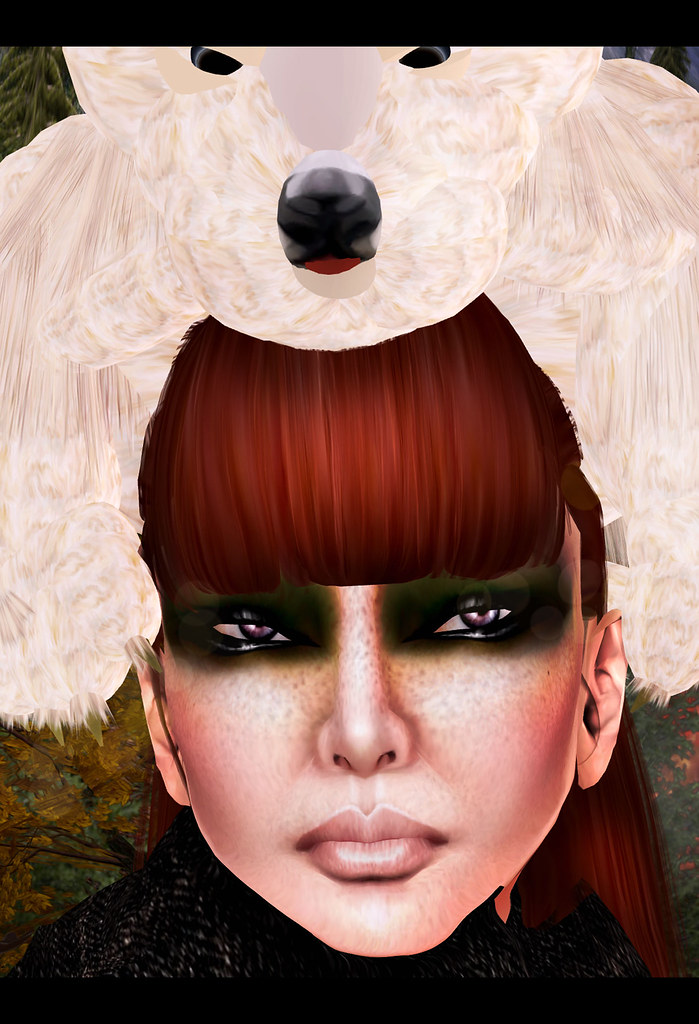
Fur *alike* (yes alike as my blog is animal friendly) hats are a great trend this year again and I just keep loving this one from Yips. Yips is this store in SL with all these creative goodies for free there's two types of furry headpieces just make you imagination work with them. - This will make your braid warm and able to work. :D
The skin from Miasnow is free for the FTLO hunt. Is a very nice skin that comes in four tones, several eyebrows options and they look freckly and perfect for the season.
Tyranny Designs has a outfit also for the FTLO, I just love the shirt, mostly these chest piece that you can easily match up with other stuff and use it as a pretty scarf.
The skirt is the group gift recently sent by Vive9 to their group members. There's a 50L joining fee but guess is so worth it as Vive9 always has some stylish and well textured clothing. I just love these kind of western patterns even more on a high waisted skirt. Nham.

HAIR: [ 69 ] IVAN 02 - Mauve Collection - Group Gift
BOOTS:[ bubble ] FTLO Fall Hunt gift - 0L
SHIRT: FTLO - #37 Tyranny - 0L
SKIN: FTLO - #41 MiaSnow - 0L
HAT:YIPs babysnowtiger on head - 0L
SKIRT: .: Vive9 :. Group Gift FEMME 11/07 - Group Gift

Poses: Olive Juice

Photoshop Basics by Steffy Ghost


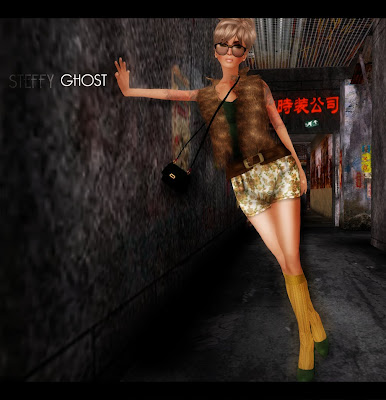
Greetings all. Just posting some methods I use on my photoshop editings. I am not a pro , you sure can find tones of good tutorials on youtube and so on, but just showing the process I usually do. :] I learnt all I know from fab tutorials around the internet, including some done by Second Life users who do this million times better then me. But hope you enjoy it.
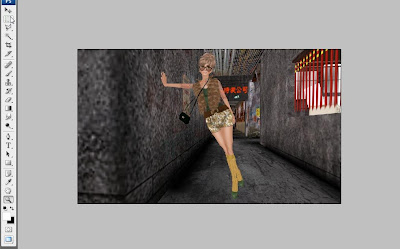
Open the shot you want to edit.
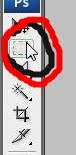


Use this tool to crop the image to the desired size. This one allows you to crop it freely.
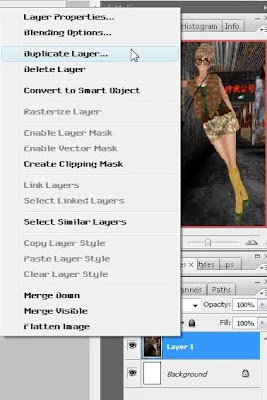


- Once you have the image crop selected go to EDIT and select Copy. (or Ctrl+C)

- File- New and now you have a new document where you can Past (Ctrl+V your image).
-Always duplicate layer when editing. That way you have an extra image if something goes wrong.
-To give your image a special color touch on the top select IMAGE --> AJUSTMENTS --> Curves. Just play around with your curves and put your capture on the tone you wish. (There's also other Adjustments that can be also used. I prefer this one)
- Due to multiple reasons SL bodies never have the perfect shape... and some points might not be so well and you may need to reshape them.
Shift+Ctrl+X will open the liquify tool
-@ Liquidy I usually use the Pucker Tool (S). This helps you put in the place some poity edges. (Eg: Knees and Elbows shape). Put the brush on the desired size and just play around. Also the Bloat Tool can be used to 'add' more volume to some body parts.
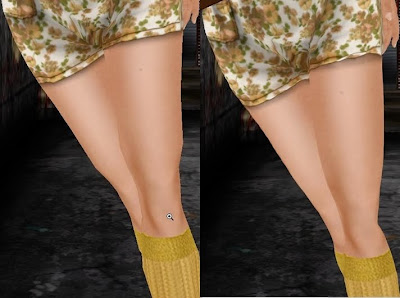

-As you can see on the image there's some difference in the pic where Liquidfy tool was used.

-After will come the fun part. I guess the best about Photoshop is the layers. Layers can make all the difference and I use several.
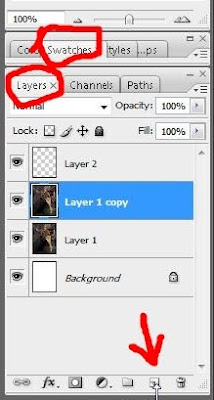


-Make sure you have your layers visible on the right side of your screen.
-Now create a new layer. (look at the arrow on the image)
-Next step is creating shadows and highlights. Go to the brush tool (B) and select the white color. Now with the brush just tint around the spots you think that shoul have some light. (Don't worry about how it looks. Paint it normaly).
-So now that you have your highlights you will also need some shadows. Now black color and do the same steps as the white but this time draw your shadows.


-You image will look like this. Not pretty, hein? So here comes the trick now.
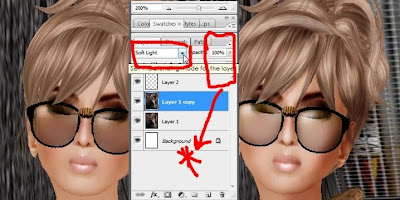


-The final step. Be sure you have the layer you made (the one with no image) selected. On the top of the layers scroll down and select ''Soft Light'', you will see your shadows and highlights appear. If you think your highlights/shadows are too heavy go to Opacity and Fill and turn them down to lower levels. (*)


So there are the main steps I take to make my SL pictures. Also remember your good Windlight settings and graphics quality will also help to have less work on photoshop and also make your shots more realistic.